
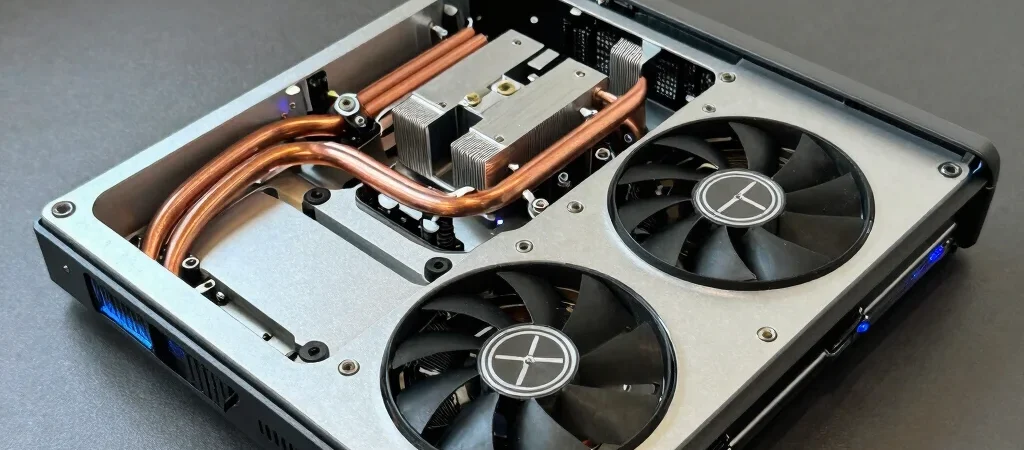
Your frame rate starts stable at ninety frames per second, but halfway through a round, micro-stutters appear and the game drops sharply into the low fifties. Before blaming software updates or reinstalling drivers, look at the physical reality of modern laptop enclosures. Thin chassis designs pack high-wattage silicon into tight thermal envelopes, meaning heat dissipation often dictates actual performance far more than raw paper specifications.
Logging Temperature Deltas Under Actual Load
Synthetic benchmarks can highlight extreme limits, but an actual gameplay session reveals how your system behaves over sustained periods. Run an overlay utility to log CPU package temperatures and GPU core temperatures side by side during twenty minutes of standard play. If the CPU regularly hits ninety-five degrees Celsius or the GPU crosses eighty-six degrees while clock speeds abruptly fall by several hundred megahertz, your machine is engaging thermal protection.
Separating Thermal Limits From Power Caps
Not every slowdown stems strictly from raw heat. Many portable systems share wattage budgets between the processor and graphics chip using dynamic power-sharing algorithms. When the CPU draws excessive power during complex scenes, total graphics power drops to prevent the power supply from overloading, producing an immediate drop in frame pacing even if temperatures look manageable.
Practical Physical Interventions That Work
Start with physical clearance. Elevating the rear intake vents by just half an inch using rubber feet or a rigid stand often drops core temperatures by three to five degrees Celsius. If the machine is over twelve months old, clearing compressed dust from the fin stacks and replacing dried thermal paste with a viscous, high-durability compound will yield noticeable stability gains without touching a single software tweak.